We Are Royale · US Air Force Gaming
Creating a Mobile AR Gaming Experience
We Are Royale · US Air Force Gaming
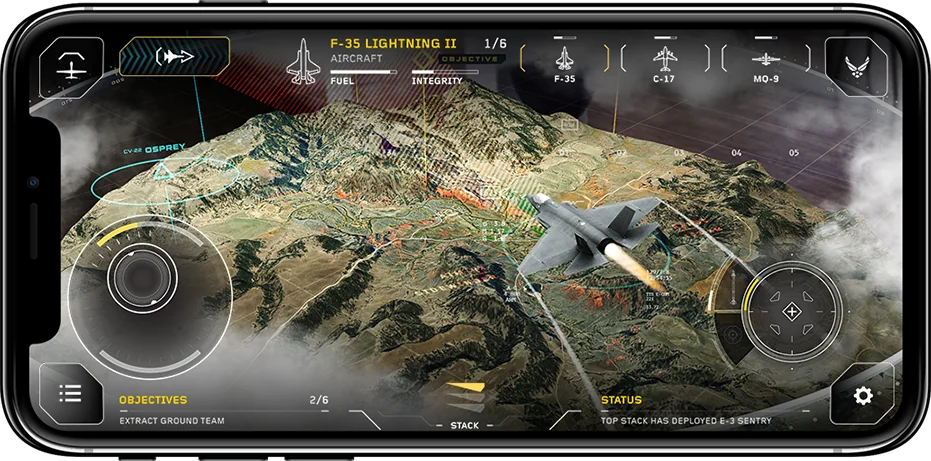
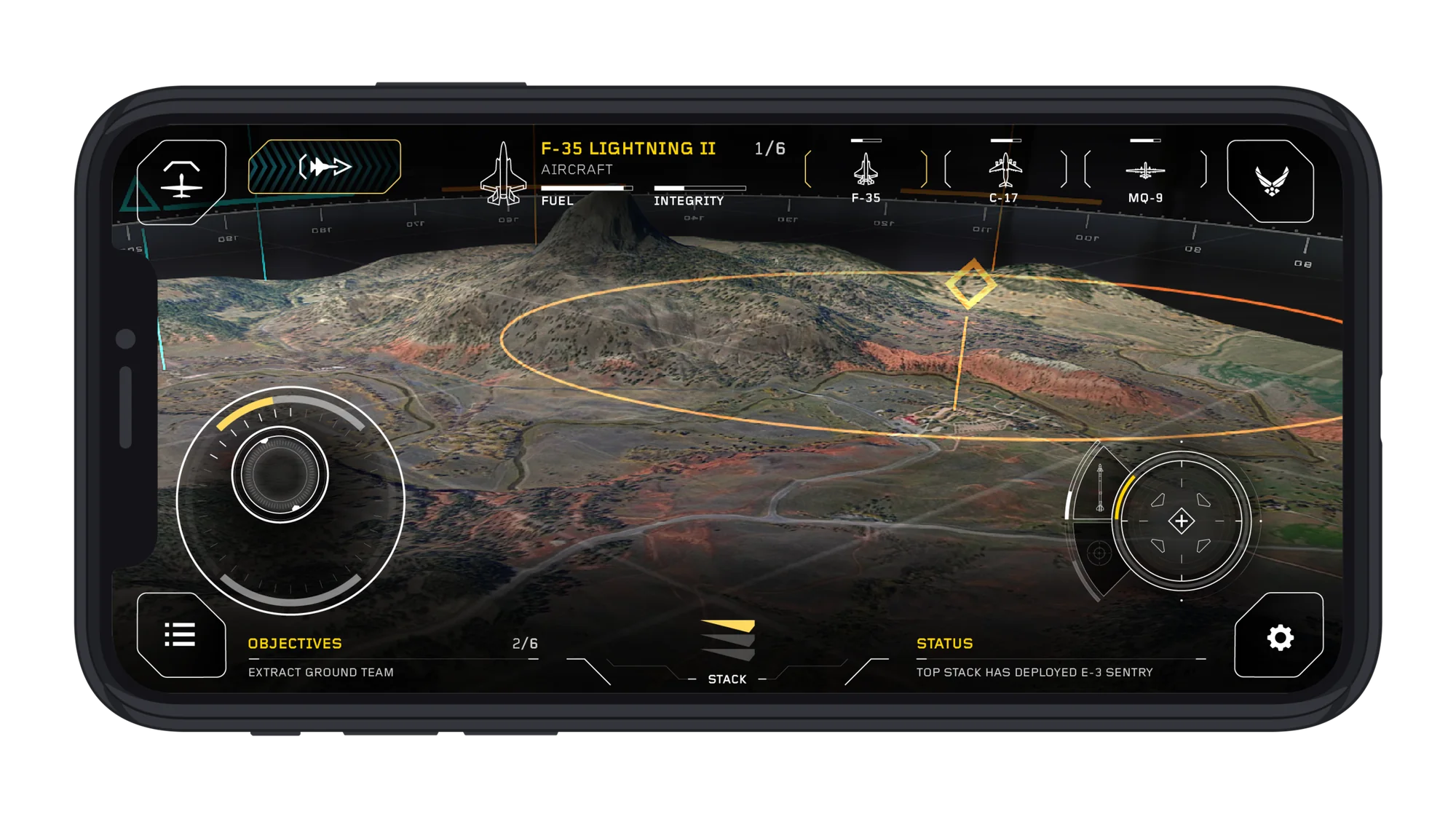
Command the Stack is a mobile augmented reality game created as an educational tool for US Air Force recruits. The multi-player game gives the player an immersive playground to experience real tactical strategies while completing missions.
The AR game mechanics allow the player to place their airspace anywhere in their real-world surroundings — think coffee table or back yard.
Being the sole UX designer, I wore a lot of hats. I worked with the creative director on work flows and mission stories. I worked closely with the development team on interactions, level design, and technical requirements.
My responsibilities and deliverables included:
To play Command The Stack the player:
To play the game and complete missions, the player places the game board in Augmented Reality space, co-mingling with their real surroundings.
There is both Single and Multiplayer mode, where players are auto matched on the server and teams of three play together, one on each stack (a slice of airspace).
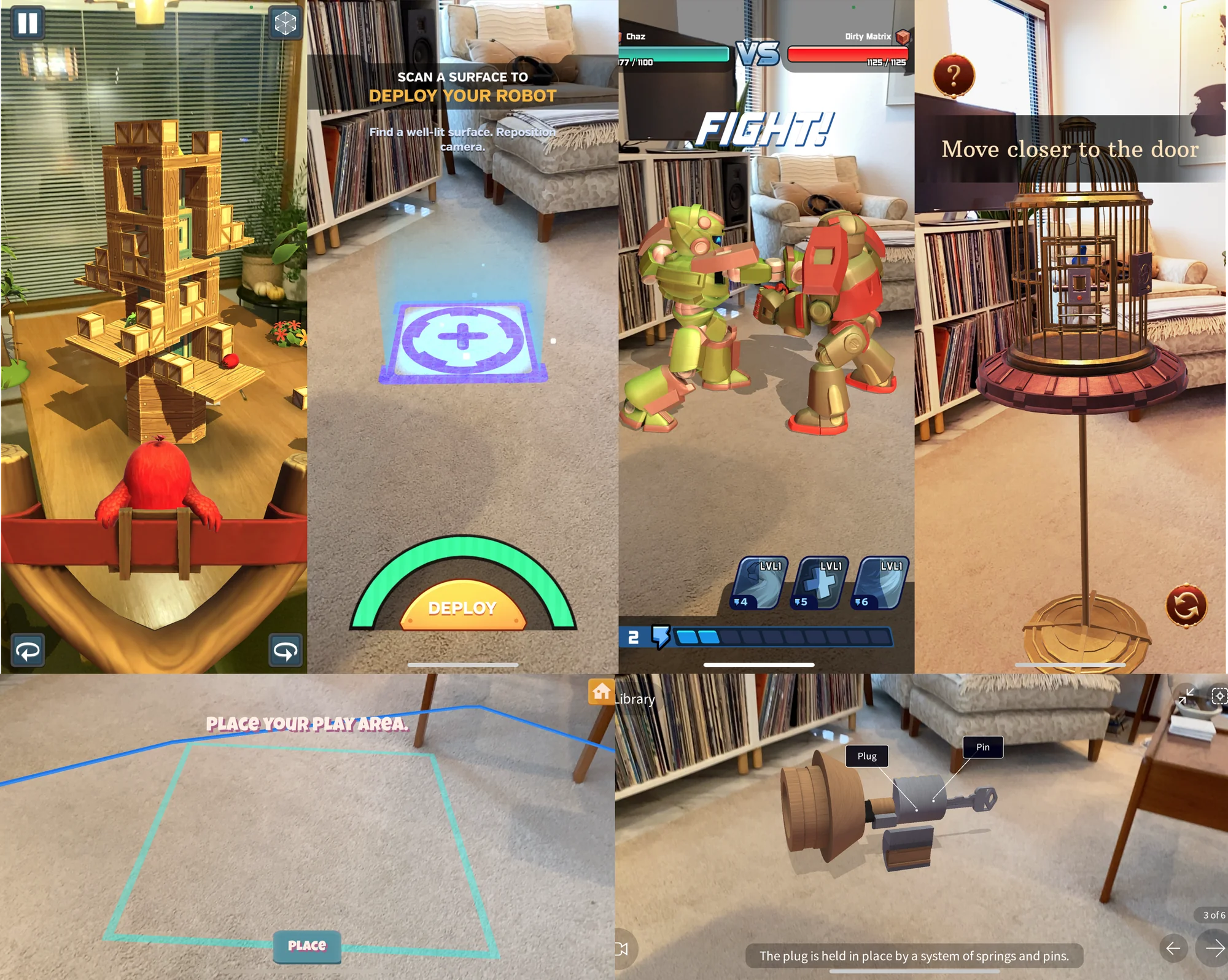
The scope of this project did not include any formal usability research. So, I learned as much as I could about Mobile AR gaming.
I spent time conducting some comparative analysis across other AR-based games for interaction patterns. I researched existing Air Force recruitment materials for a sense of look and feel.
I read the design guides for ARKit and ARCore to see what best practices were around interaction and to get an overview of technical limitations.
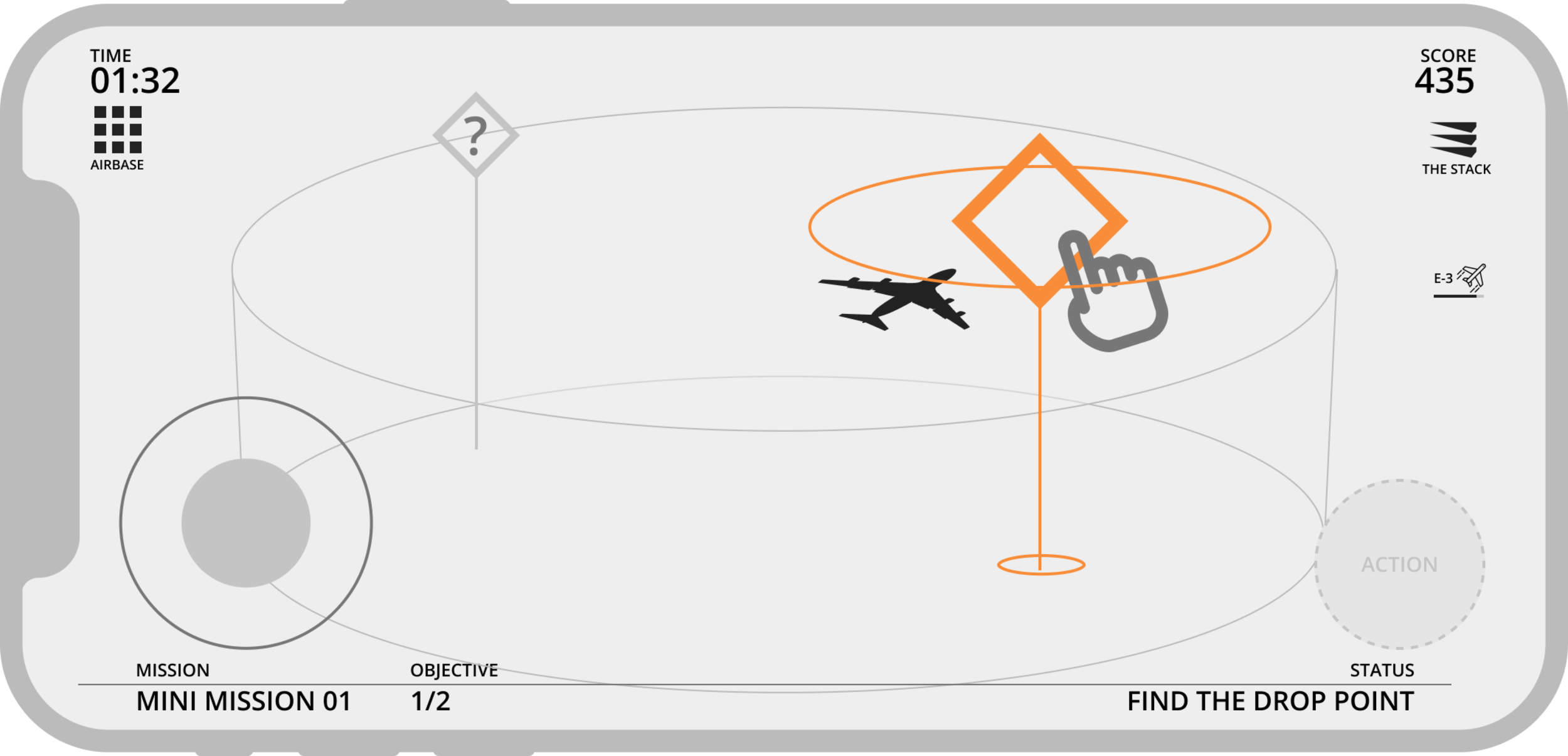
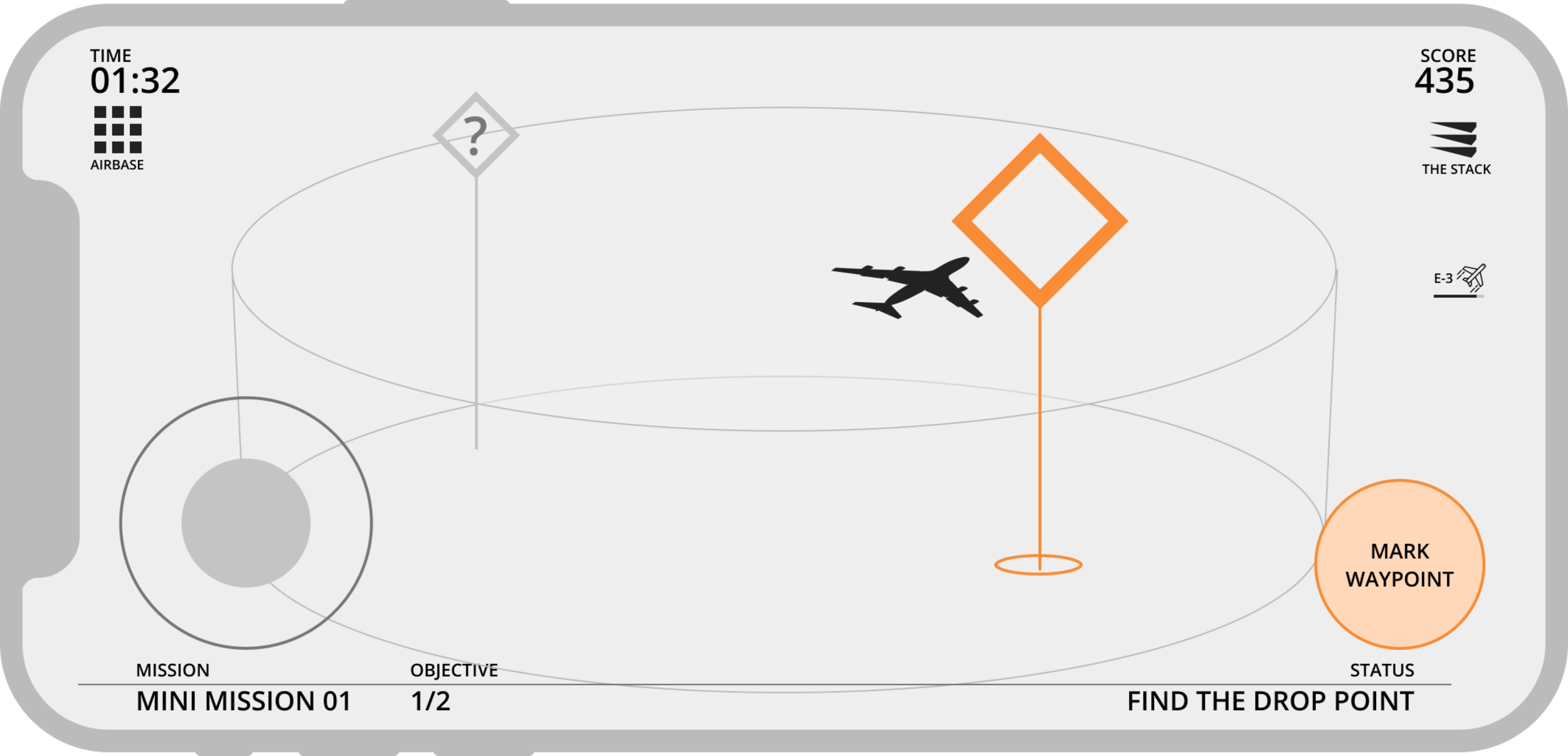
The first step in many missions is to activate a new waypoint from the top stack. Early explorations revealed two options for this interaction.
When you get close to a waypoint:
I found that my role in this project was often to facilitate conversations. It always helps to give a cross-functional team something to look at, even if it’s wrong. It provides a path to whatever the right thing is.
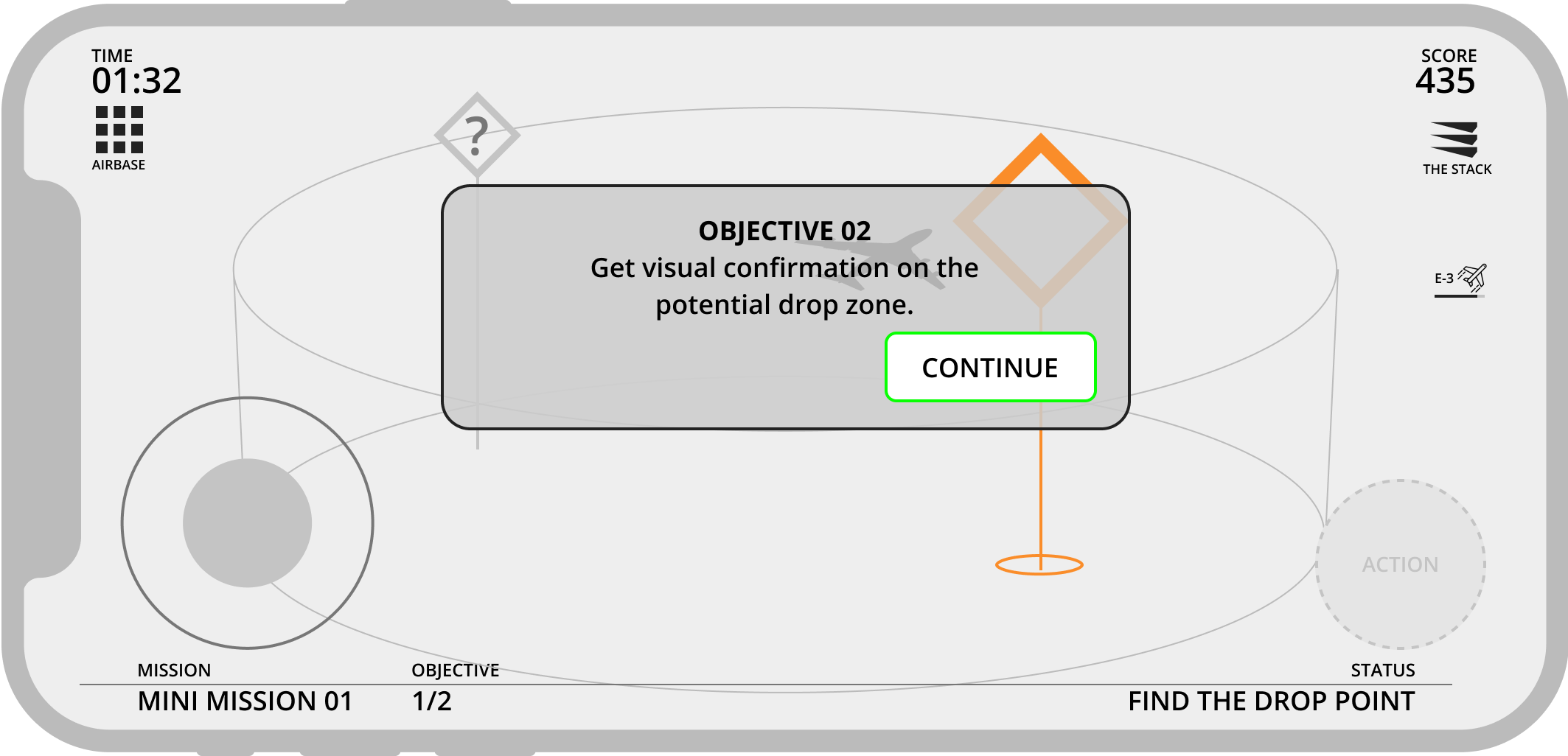
To keep the mission stories moving, I helped create a messaging system for the game — always with the user flow in mind.
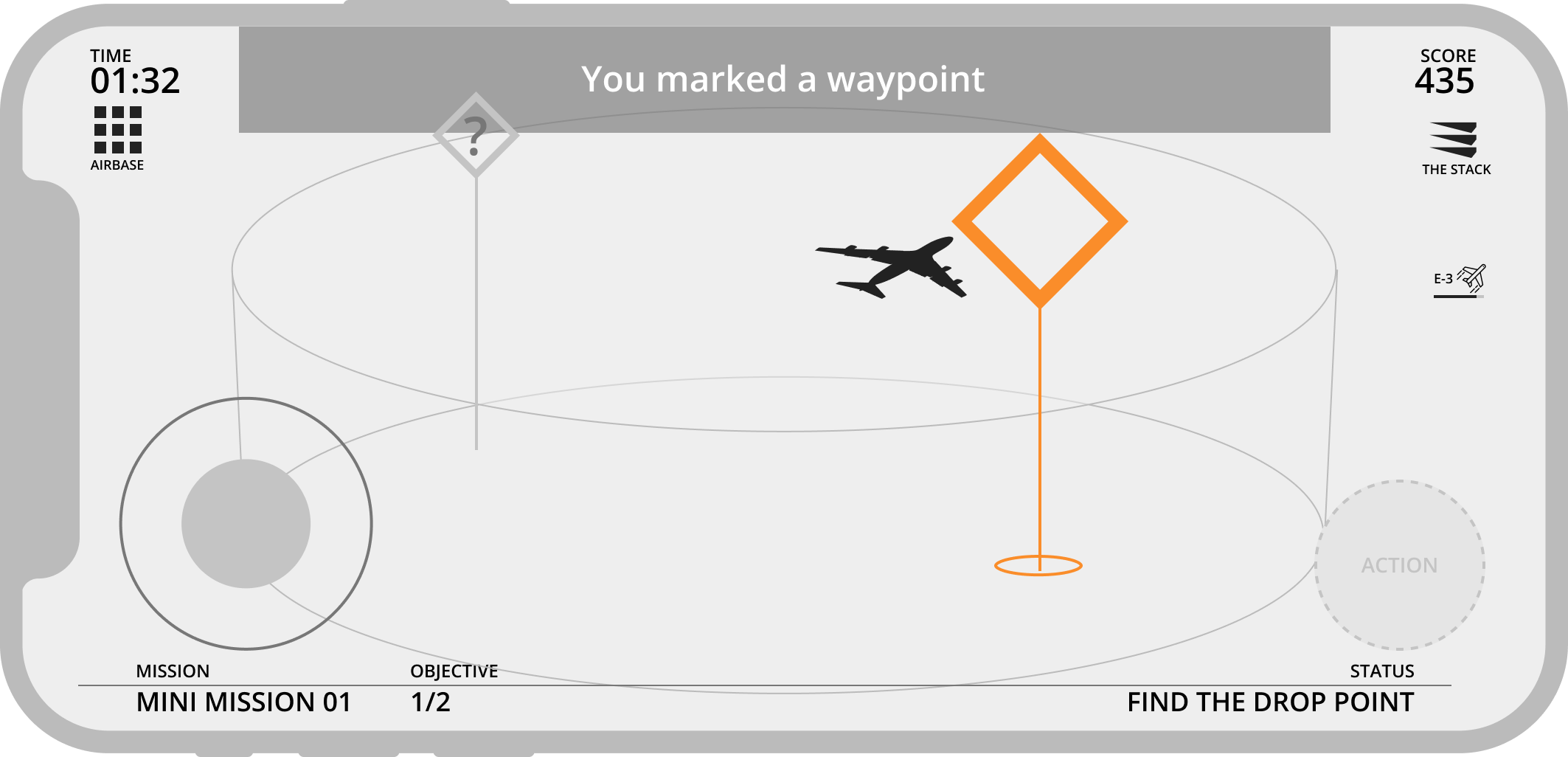
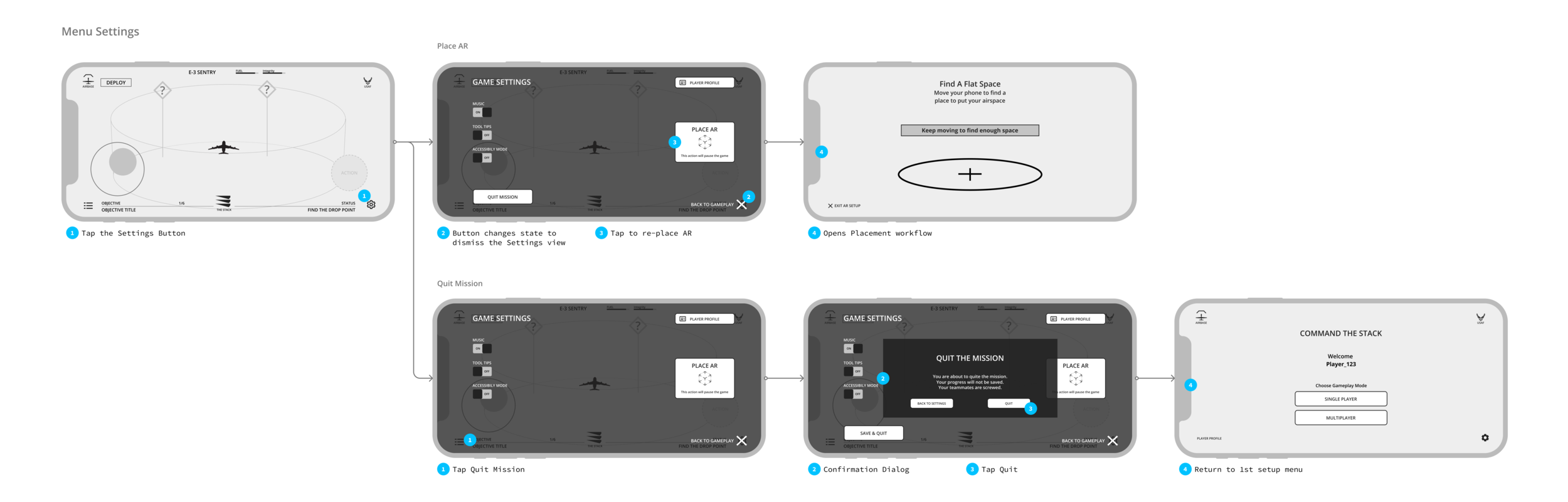
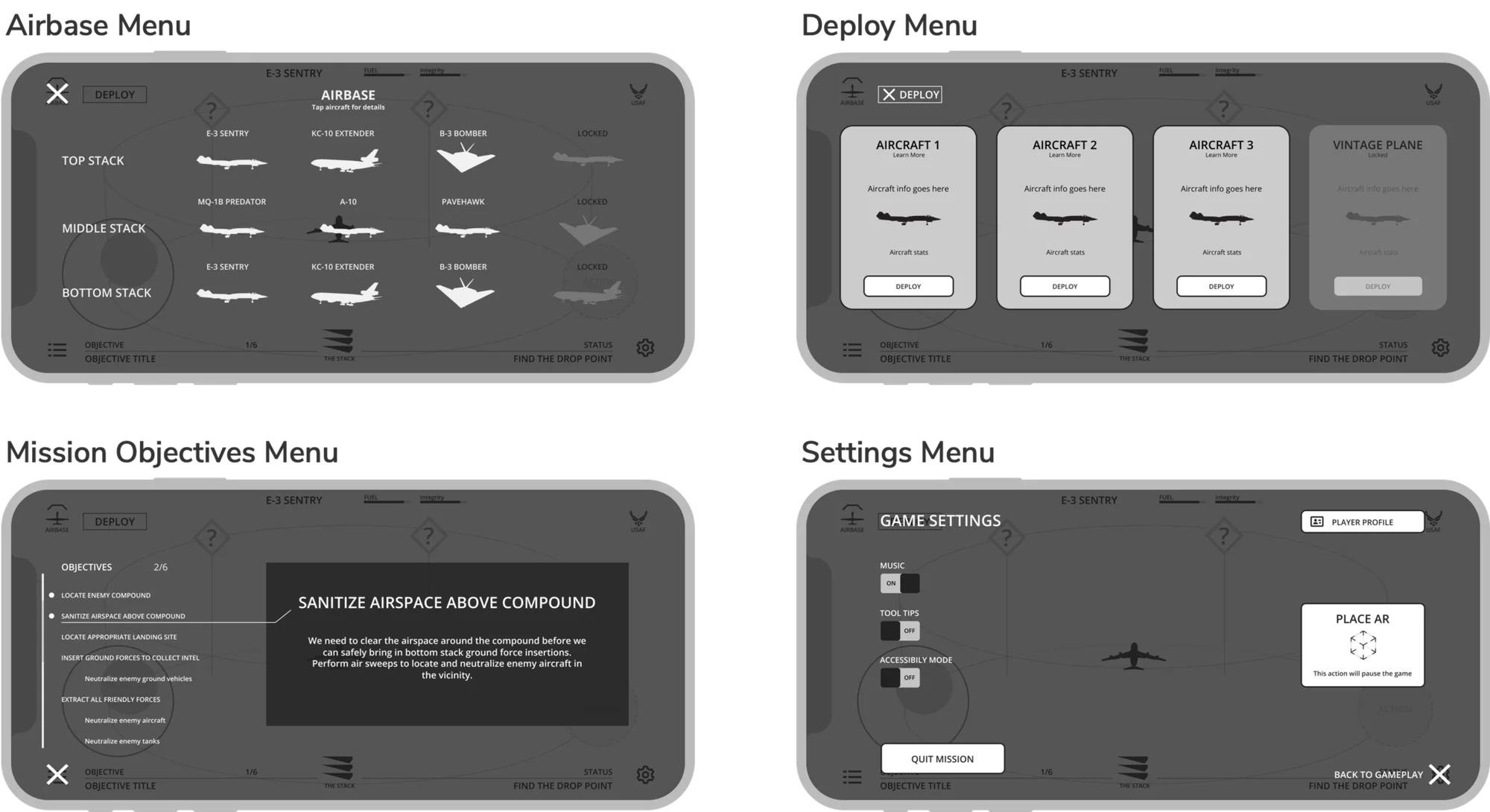
Even something seemingly simple like In-Game Menus provides design challenges.
An example of annotated wireframes for the settings menu, for client conversations and clarity in the project documentation.
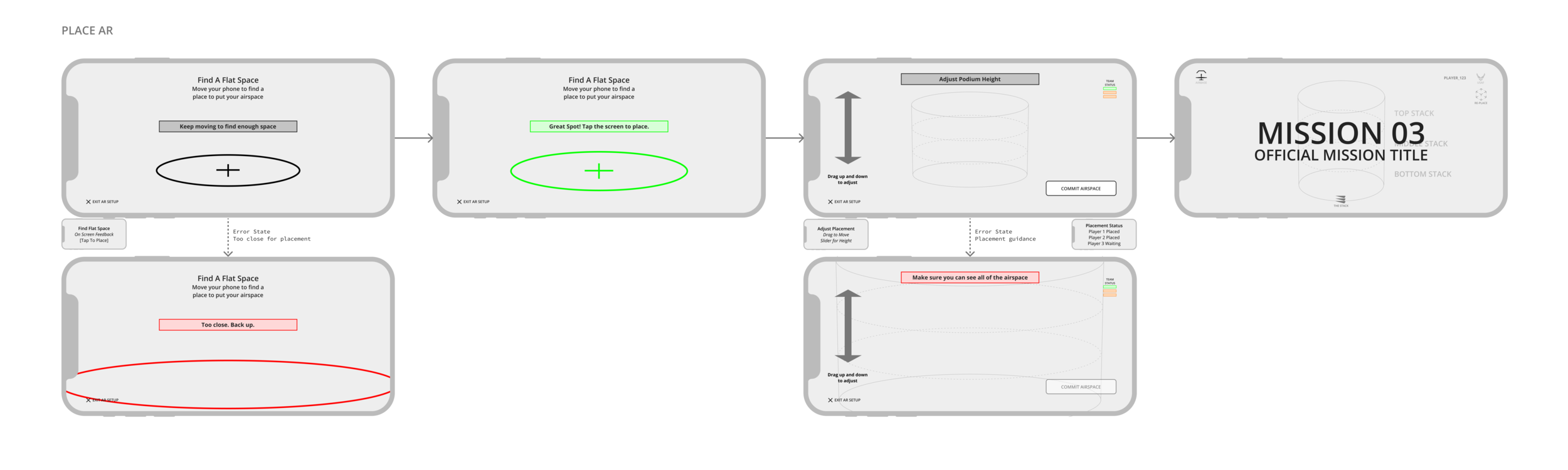
Part of the setup process is placing the AR space on your floor or coffee table. The player will need to do this workflow between every mission. So, it has to be quick, easy and accurate. There needs to be lots of on-screen feedback, but minimal fiddling.
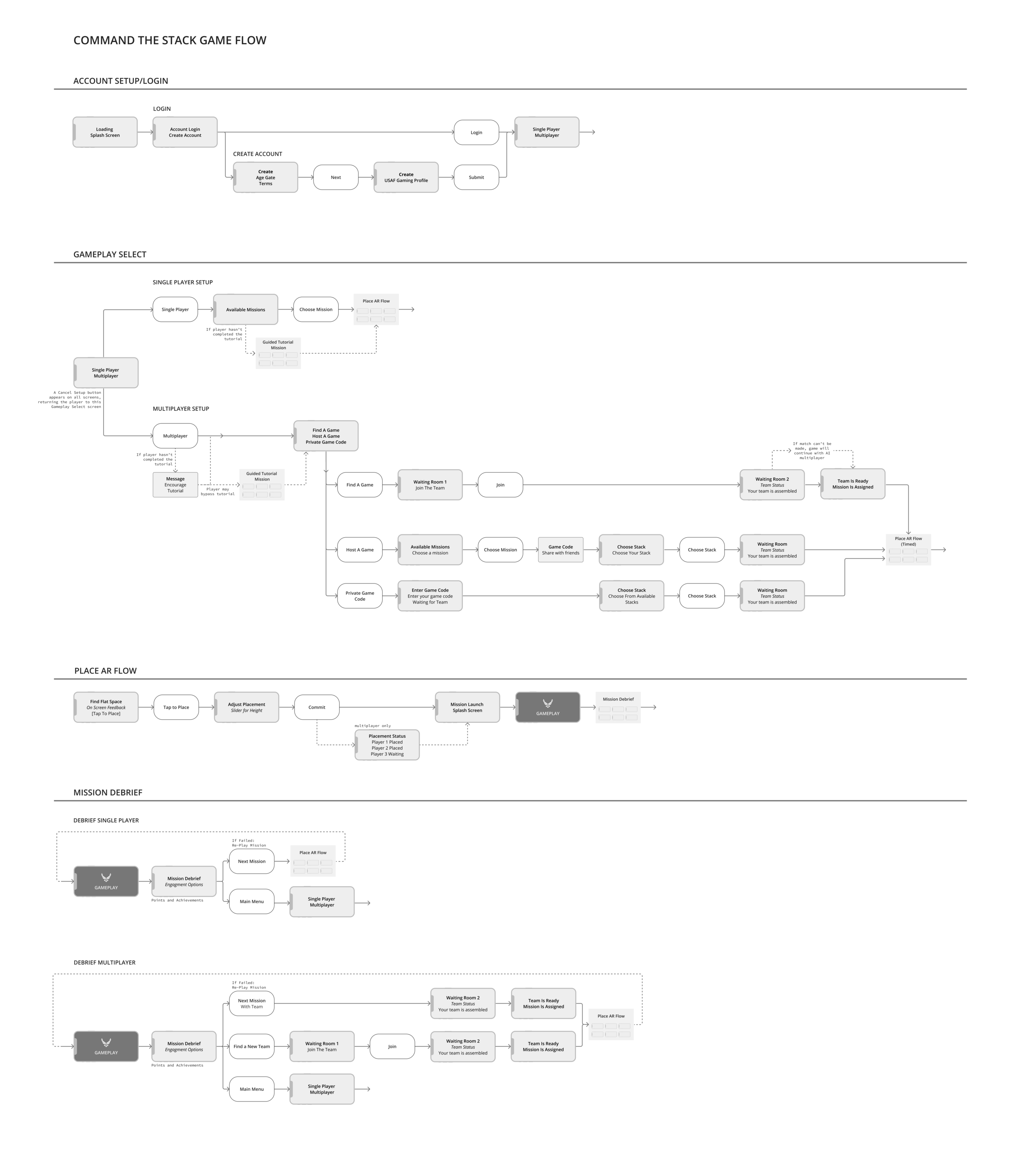
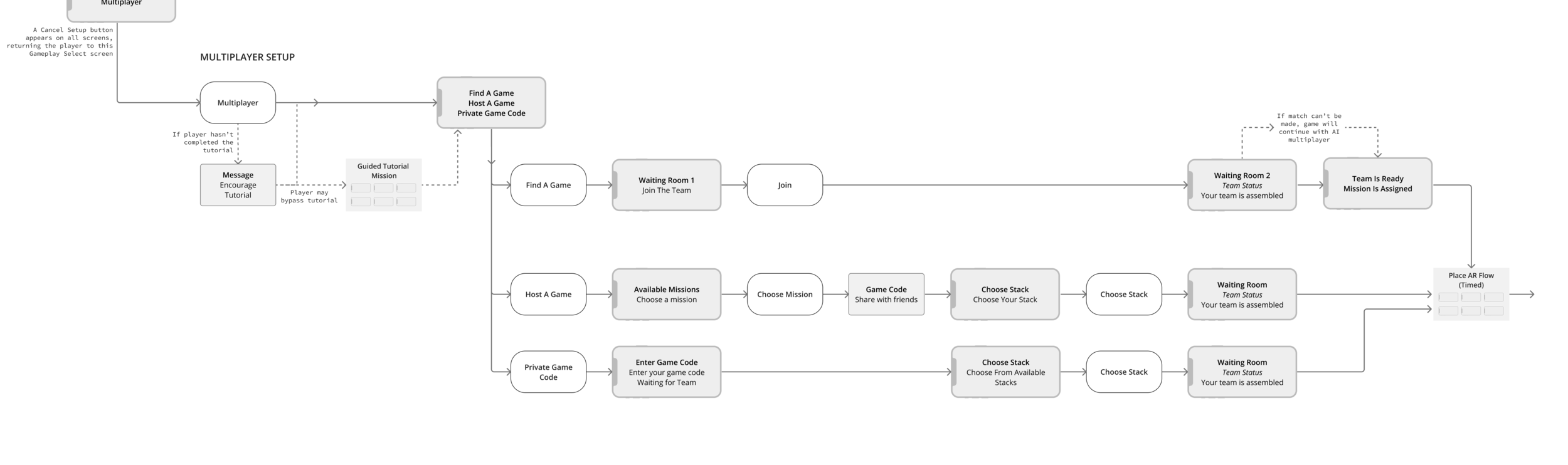
I worked on this documentation continually throughout this project. It contains the user flows starting from creating an account, to joining a multiplayer game, and placing your AR space. These flows went through many iterations as the cross-functional team learned and problem-solved together.
Below is a detailed look at setting up a multiplayer game. There are multiple paths and work flows depending on if the player wants a team matched for them, or wants to host a game for their friends. This involved waiting rooms and game codes — items that had to be communicated between the creative team and the development team. What’s possible? And how few screens can we do it in?
For almost every node on the flow chart, there is a corresponding wireframe, making sure every button and text block is accounted for.
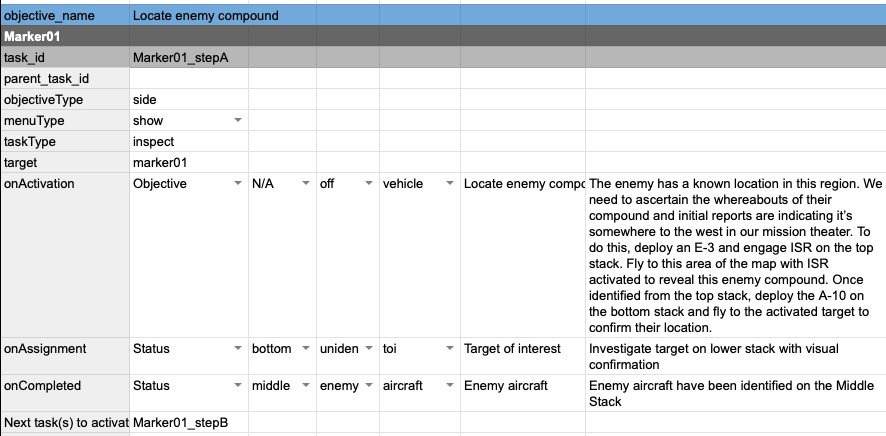
Before building the game, we needed a way to communicate the storyline and the actions required to complete a mission.
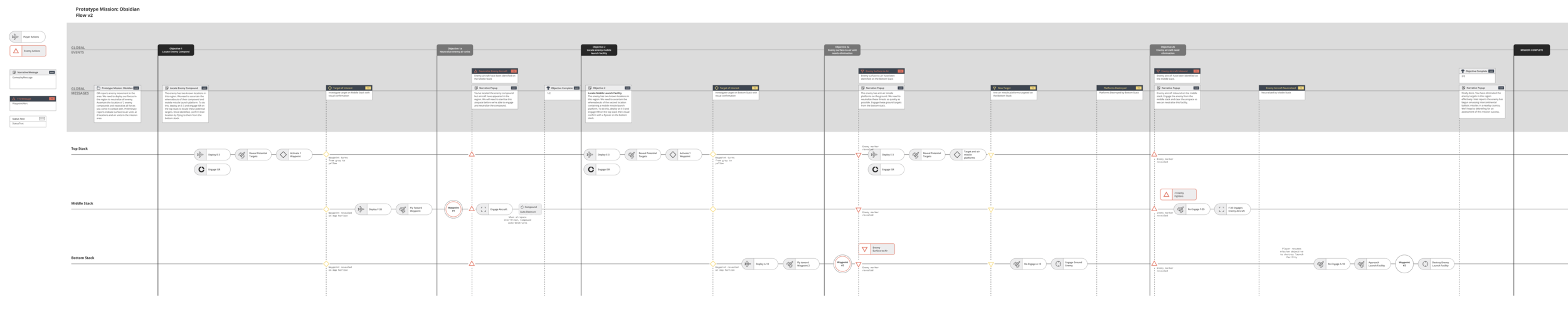
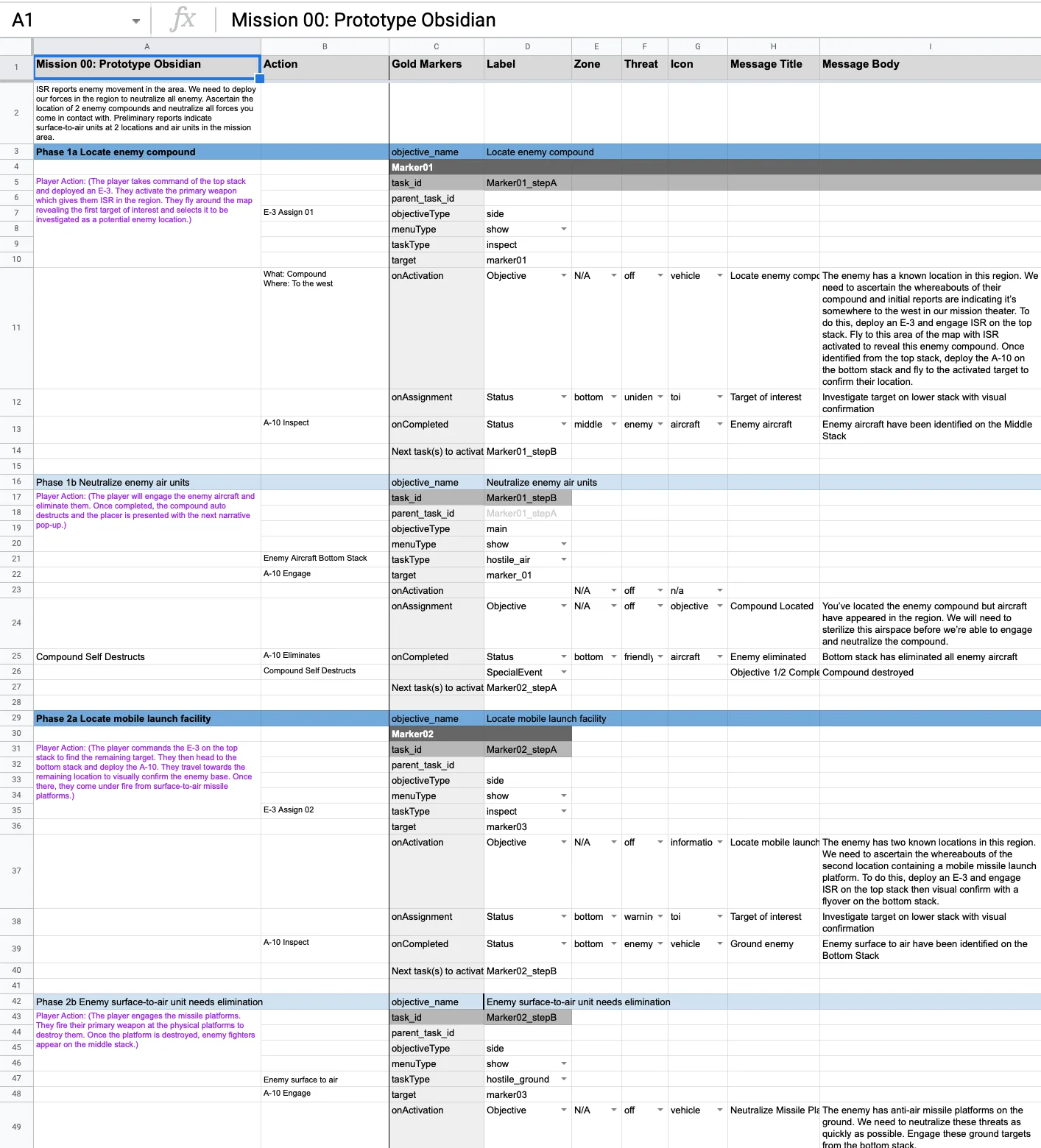
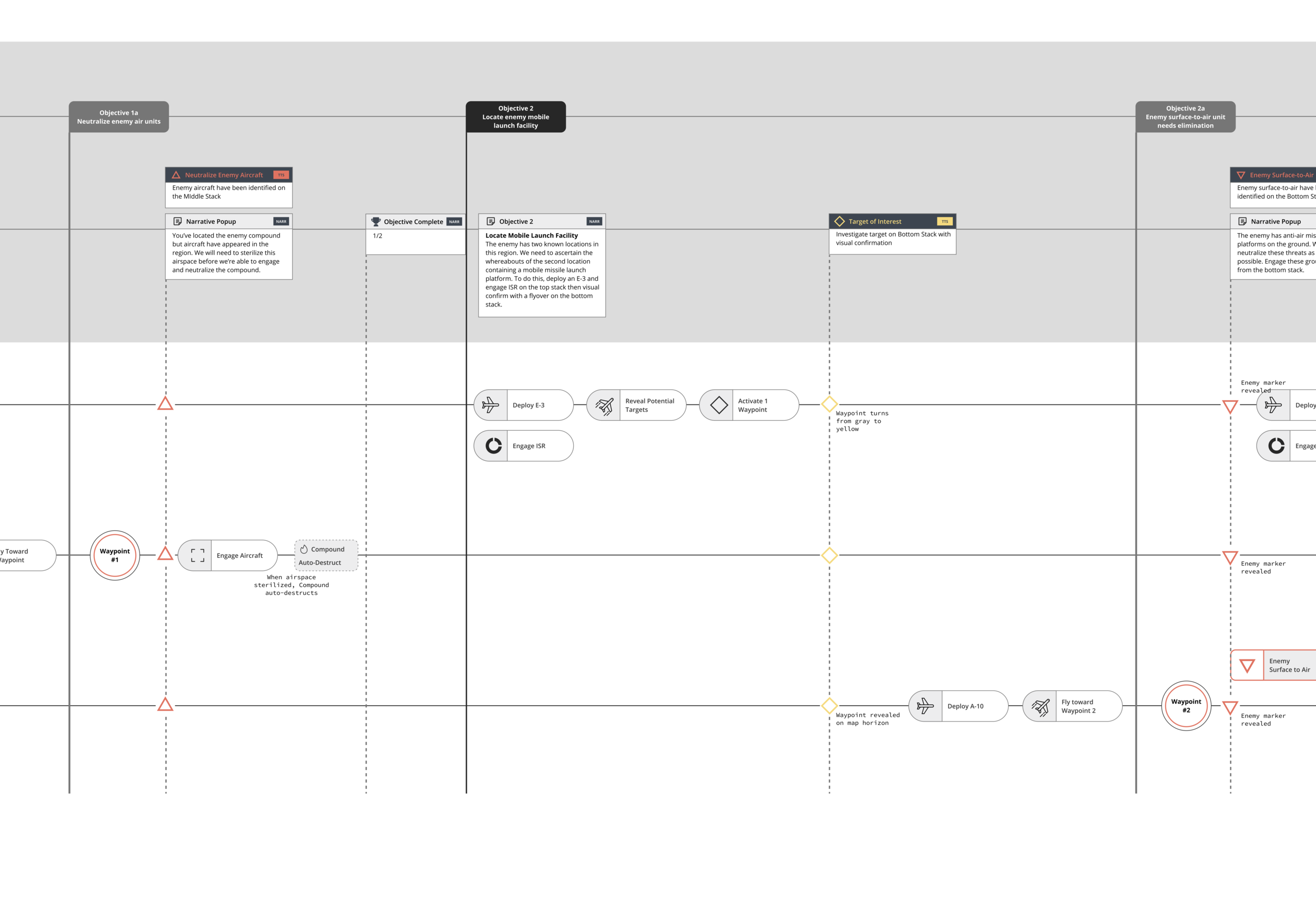
There was also a need for internal documentation to track elements, messages, and events across 10 missions. I created this document to help visualize storylines simultaneously across all 3 players.
The Mission Flow charts were so helpful we decided it would be good to have an internal document based on the same idea for the development team. I interpreted the mission stories and translated them into development action items and copy deck. It was a place to track the storyline and the in-game actions, as well as a place for the developers to collect some points of reference for the build.
The role of a UX designer is about creatively solving design problems and thinking through interactions from the user’s perspective. But it’s just as much about being a part of a team, helping deliver a product, facilitating necessary conversations — helping everybody see through the user’s lens.
Next project
Fivetran →